| Creating your first Chart > Basic Chart Elements |
| Here, we’ll see the various chart elements that constitute a chart. The following images would help you interpret the various sections of the chart. |
| Chart Background and Canvas |
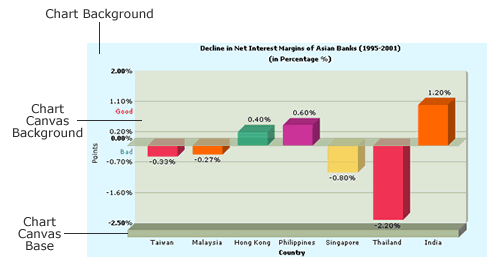
For a 3D chart, the canvas and background can be shown as under. You can change the colors and set the visibility of all the three elements below to false using XML attributes
|
| For a 2D chart, the canvas and background is shown below. You can set the canvas background color, background alpha, canvas border color, canvas border thickness, canvas background color via XML. |
![]() |
| Chart Labels- caption, sub caption, x-axis label, y-axis label, y-axis upper limit, y-axis lower limit, number Prefix, number Suffix etc. |
![]() |
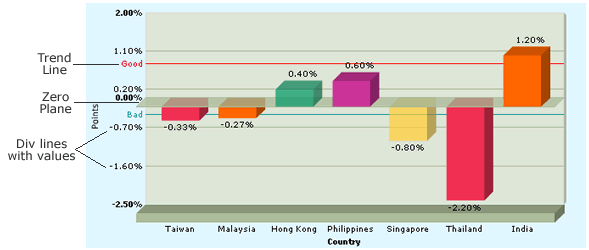
| Div lines, trend lines and zero plane |
![]() |
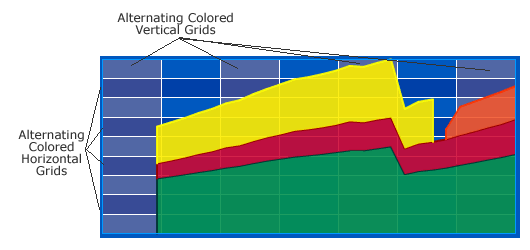
| Alternating Colored Horizontal and vertical grids |
| You can choose colors and alphas for alternating horizontal and vertical grids. |
![]() |
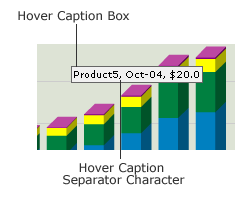
| Hover Caption Box, hover caption background, hover caption border, hover caption data separator character. |
You can define various properties for the hover caption box too - like border color, background color, separator character etc.
|
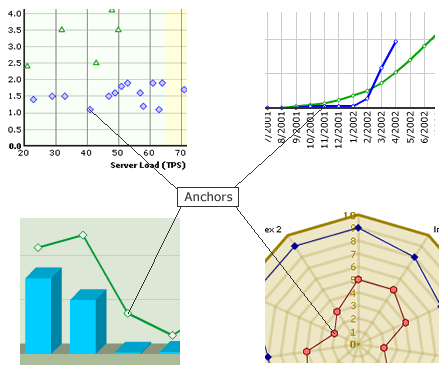
| Line, Scatter, Radar Chart Anchors |
You can define a lot of properties for the anchors like shape, radius, border color, thickness, alpha, background color, background alpha etc.
|
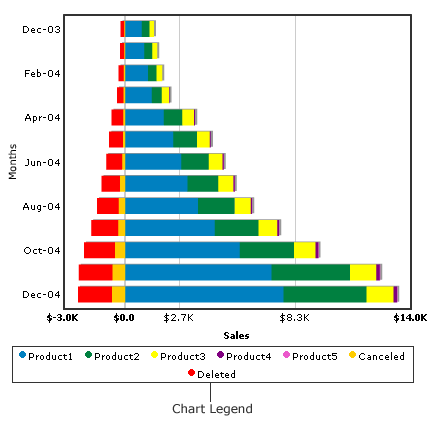
| Multi-series chart Legend |
![]() |
| And now that you are familiar with the various elements of the graph, let’s have a look at the XML attributes that control them. |